How to Create the Perfect Home Office Setup for Working Remotely | August 2026

The comfort of a second home. The convenience of a hotel. The reliability of Rove.
Remote work has moved well past the point of novelty. What began as a pandemic-era necessity in 2020 has since cemented itself as a permanent fixture of modern work culture, with millions of workers redesigning their daily routines around home offices, hybrid schedules, and commute-free mornings. Six years on, the question is no longer whether remote work is viable. It is how to set up the space that makes it work.
Here we are going to look at the world as it is now, where every house or apartment needs a little workspace for remote work. Whether it’s a standing desk in the only corner of your small apartment, or a separate office in the spare room of your detached house, with a few tweaks and a little style you can make this space somewhere that really inspires you.
TLDR:
- Choose a dedicated workspace separate from high-traffic living areas. Natural light, low noise, and good ventilation are the three factors that matter most for focus and productivity.
- Invest in an ergonomic chair with lumbar support and an adjustable-height desk; remote workers save an average of 72 minutes daily by eliminating commutes, so your workspace should work just as hard for your wellbeing.
- Match your technology to your workload: a lightweight laptop suits mobile workers, while a desktop or dual-monitor setup serves designers and analysts. Pair both with a high-speed, dedicated internet connection.
- Keep your workspace organized with cloud storage (Google Drive, Dropbox) for digital files and designated physical spots for supplies to cut down on distractions and time lost searching for items.
- Supplement your home office with a Rove Travel curated rental if your space is too small or your role requires more than a corner desk. Every Rove home comes equipped with a modern workstation, ergonomic chair, and standing desk.
Remote Working and the New Normal
Remote work, in essence, is any work done outside of a traditional office environment. This might be working from home, working from your local café, or even working in a shared, independent office space. As work continues to change and become flexible and digital, work without a fixed location allows remote employees to work at their own pace, free from distractions and interruptions that lie in wait in the traditional office.
Flexibility for Modern Life
While return-to-office debates continue in some industries, the data tells a clear story: flexible work is now the norm, not the exception. According to Gallup's 2026 workplace research, 52% of remote-capable employees now work in hybrid arrangements and 26% work fully remotely, leaving fewer than one in four working fully on-site. Working remotely gives mutual benefits to both company and worker, and that case has only grown stronger over time.
As anyone who works remotely will know, it promotes a healthier work-life balance by eliminating the hassles and expenses of commuting, reducing stress levels, and boosting overall job satisfaction. According to recent research, 89% of employees perform better when their health is front and center, making wellness a key driver of productivity in home office environments.
Technological advancements have made remote work increasingly accessible, helping people to stay connected and productive from anywhere in the world. Employees are not limited to a specific location but have the freedom to choose their desired work environment, creating a tailored workspace that suits their unique needs and preferences. Some may prefer a peaceful nook in their homes, while others may opt for the lively ambiance of a co-working space or a cozy coffee shop. This ability to select the most suitable setting greatly enhances productivity and fuels creativity.
Costly Commuting
Remote work offers individuals the combined benefits of flexibility and autonomy.
It eliminates the stress and time associated with commuting, freeing them from enduring long hours in traffic or crowded public transportation. Research shows that remote workers save an average of 72 minutes daily by eliminating commutes, with 40% of that time boosting work output.
This saves valuable time and reduces the environmental impact of daily commuting. By eradicating the necessity of traveling to a physical office, remote work positively contributes to a greener and more sustainable future.
The advancements in technology have improved the accessibility and efficiency of remote work. Through high-speed internet, video conferencing tools, project management software, and collaboration platforms and apps, remote workers can easily connect and collaborate with their colleagues. Coworking spaces mean physical distance no longer poses a barrier to effective communication and teamwork. This remote work revolution has changed our approach to work, allowing diverse global teams to come together towards shared goals.
Maximize your remote work benefits by exploring subletting opportunities that could further reduce your living costs or provide income. Our guide to subletting offers everything you need to know.
Choosing Your Dream Office Space
Looking at Location
Like any aspect of good design in your home, choosing the right space in the right place is key to giving it good vibrations and making it feel right for you. Here’s a rundown of our tips on good location:
- Choose a dedicated space that is separate from living areas. This separation helps to set clear boundaries between work and personal life, enhancing focus and concentration.
- A room with ample natural light and good ventilation will create a pleasant and productive working environment.
- Take into account your home’s layout. Are there any underutilized rooms that have the potential to be repurposed as a workspace? Spare bedrooms, converted attics, or designated areas in your living room with the use of room dividers are some examples.
- Be wary of noise levels in each of these areas as concentration and productivity flourish in quiet environments.
- Make sure your office is easily accessible. Can it be easily reached from the main entrance of your home? If you frequently receive clients or colleagues, having a separate entrance or designated waiting area can provide advantages.
- Take into account the privacy of the location, especially if you handle confidential or sensitive information and video calls are the norm between you and your team members.
Thinking about location for your home office? See how owning a pied-à-terre can offer the ultimate flexibility in remote work and leisure balance. Learn more about creating the perfect pied-à-terre.
Sumptuous Spaces
Physical space gives you room to move, but it also gives you mental space to breathe out and relax. Your home office should give you enough room for your equipment and supplies, but if your only option is a small corner behind a door due to the size of your apartment, and you work in design where two large monitors are needed, it might be that a home office is not for you and a shared workspace is more practical. There should be enough desk space to spread out documents and an ergonomic chair that promotes good posture.
Consider adding storage options to maintain an organized and clutter-free workspace.
When creating an optimized and efficient workspace, considering layout is non-negotiable. Unused corners or walls create additional storage potential. By installing shelves or cabinets, supplies can be made easily accessible while maintaining a tidy environment. The placement of the desk and chair should allow ample room for movement and convenient access to frequently used equipment or tools.
When aiming to create an inviting and inspiring workspace, remember the significance of personalization. Consider including elements like plants, artwork, or motivational quotes as they can bring a positive and uplifting atmosphere. By effectively designing and organizing your home office, you can enhance productivity and get more enjoyment from your work.
Fabulous Furniture
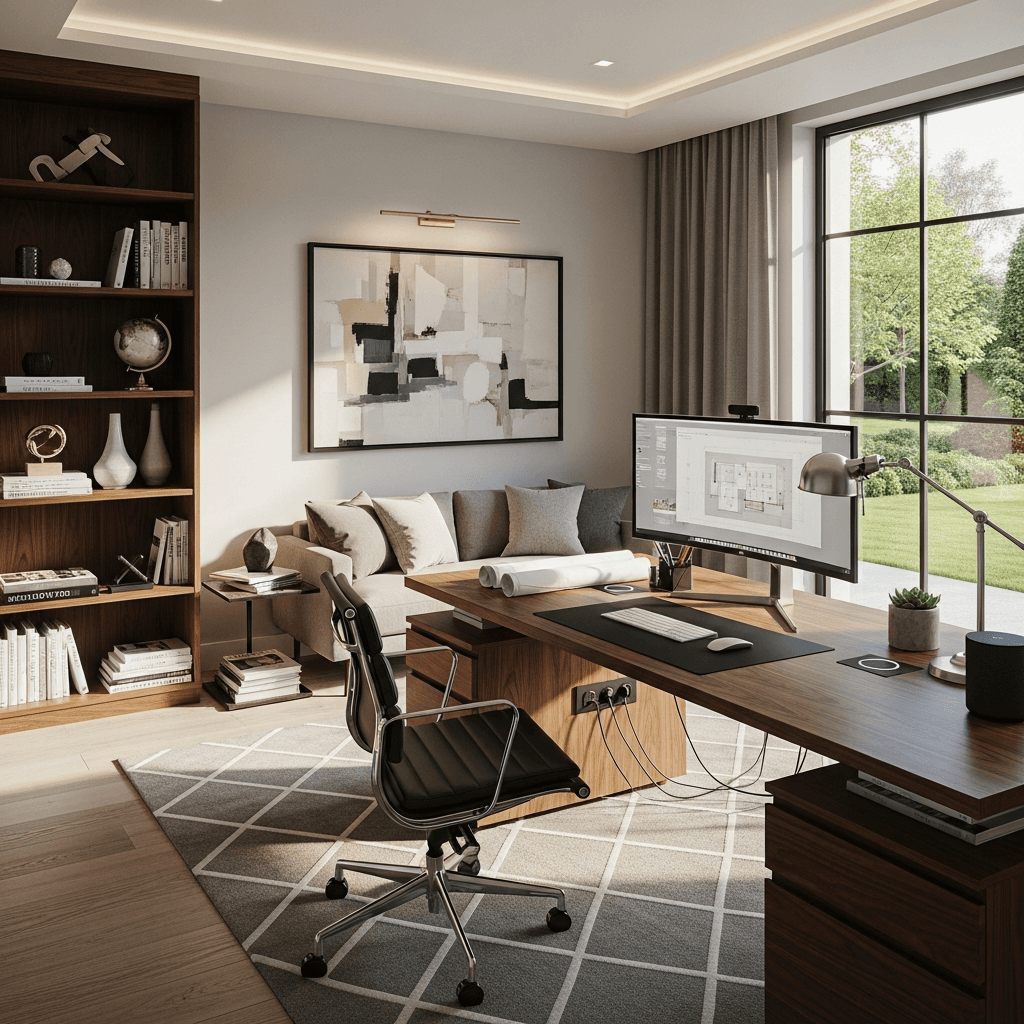
Like good plastering or flooring, high-grade furnishing gives your interior some structure that imbues the whole place with quality. When selecting furniture for your home office, consider visual appeal. Opt for pieces that blend with the overall design and reflect your style, while giving real utility.
When considering furniture options, don’t overlook the materials used and the durability of each piece. By selecting well-constructed furniture you can invest in pieces that will last for many years. Try to look for chairs that offer adjustable height and lumbar support to prevent strain on your back. Choose a desk with ample surface area and storage choices to contribute to your organization and productivity.
When considering the purchase of furniture, take a moment to sit in the chair and adjust it, to check for both support and comfort. Assess the desk by checking its height and determining if there is sufficient space for your equipment. Investing in high-quality, ergonomic furniture enhances productivity and also improves overall well-being.
Choose Technology
Computer and Printer
A reliable computer and printer are necessary tools for your home setup. When considering a computer, it is important to assess the job requirements and choose a device capable of handling the workload. If you’re likely to work while moving around, a high-end lightweight laptop, MacBook, or hybrid tablet will give you extra freedom and flexibility. Also, think about printers, and make sure the selected printer fulfills all your printing needs, whether they involve documents, contracts, or other paperwork.
Internet and Wi-Fi
Accessing a stable and fast internet connection is required for remote work. Your home office should be well-equipped with high-speed internet and a reliable Wi-Fi connection. If necessary, consider setting up a wireless connection to guarantee consistent and secure internet access, especially when handling sensitive or confidential data.
Phone and Voicemail
A dedicated phone line and voicemail system can enhance professionalism and allow for effective communication with clients or colleagues. Consider investing in a separate business line or virtual phone service so you can receive calls on computers or mobile devices, granting you the freedom to work from anywhere.
Organization
File Storage
Properly organizing and accessing your digital and physical documents relies on efficient file storage. If you’re working online then using cloud storage services like Google Drive, Dropbox or Mac equivalent is probably second nature. These services allow you to store and sync files across multiple devices.
Office Supplies
Having the necessary office supplies readily available can enhance your productivity by minimizing interruptions. Make sure to stock up on supplies like pens, paper, notebooks, sticky notes, and any other materials that are specific to your work requirements. Keep your supplies well-organized and easily accessible to avoid unnecessary distractions or time wasted searching for items.
Time Management
When working remotely, one must have discipline and effective time management. It is important to set clear goals and tasks to maintain productive and focused work sessions. Using tools like project management software or task lists can help with organization and tracking progress. Creating a routine and setting boundaries between work and personal life will contribute to better time management and work-life balance.
Taking a trip or based in NYC? Enhance your work-life balance by non-touristy activities in NYC. From vibrant neighborhoods to hidden parks, find out how to experience the city like a local.
Ergonomics
Chairs and Desks
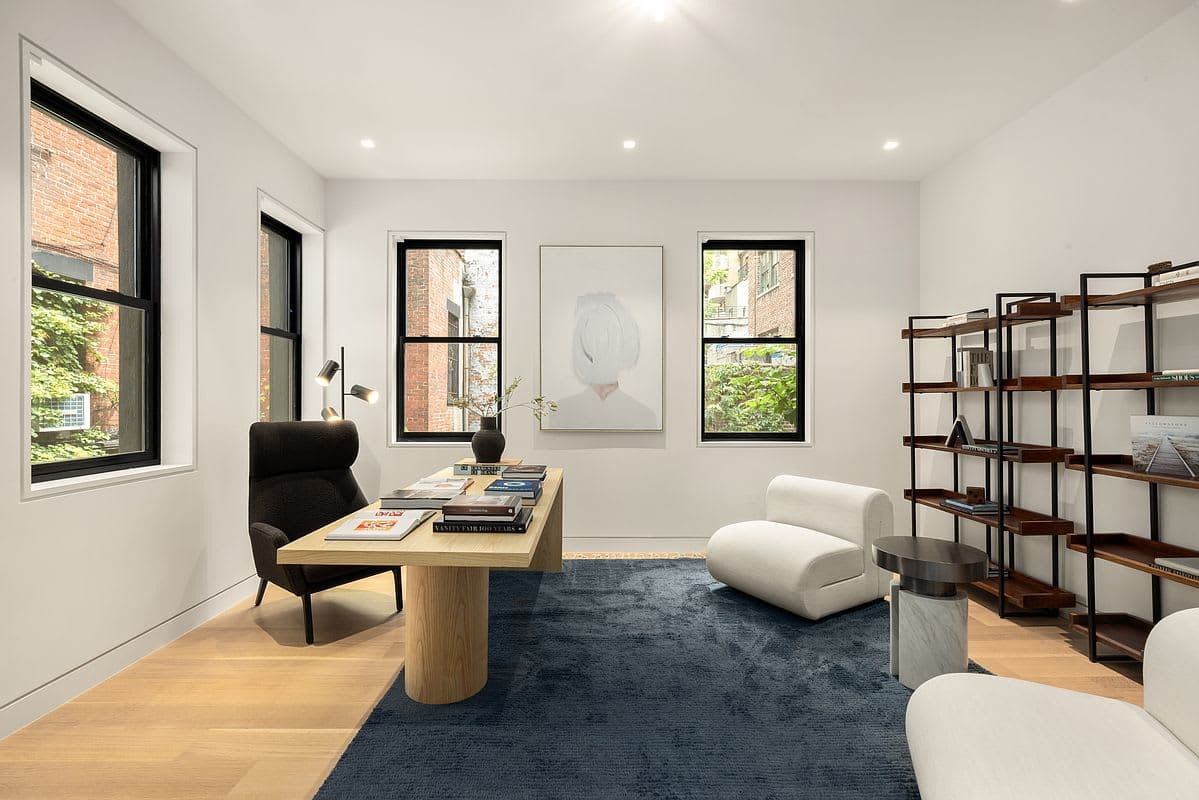
Investing in a comfortable and ergonomic office chair helps with posture and prevents back neck, and shoulder pain. When searching for the right chair, look for features such as adequate lumbar support, adjustable height, and armrests, as well as breathable materials that promote airflow. These factors help you stay comfortable during long work hours. Your lower back will thank you!
Your desk should provide ample space for your computer, accessories, and work materials. It should be at the appropriate height and allow for proper ergonomics. Consider using an adjustable standing desk that allows you to switch between sitting and standing positions throughout the day, promoting better blood circulation and reducing the risks associated with prolonged sitting.
Ambient Lighting
The impact of proper lighting on productivity and well-being cannot be overstated. When setting up your home office, choose an area that allows for ample natural light. Consider investing in adjustable task lighting as an alternative light source to minimize eye strain and eliminate shadows while working. Remember that adequate lighting enhances focus and reduces fatigue and contributes to a pleasant working environment.
Home Office Setup at a Glance
| Category | Key Considerations | What to Consider | Common Mistakes to Avoid |
|---|---|---|---|
| Location | Choose a dedicated space separate from living areas to reinforce the boundary between work and personal time | Natural light, good ventilation, low noise levels, and easy access from the home's main entrance | Working from shared or high-traffic areas such as the kitchen or living room, which erodes focus |
| Space and Layout | Assess whether the room can comfortably accommodate your desk, chair, storage, and equipment without feeling cramped | Enough surface area to spread out materials; clear pathways for movement; unused corners repurposed for storage | Underestimating how much space equipment and supplies actually require, leading to a cluttered setup |
| Furniture | Select pieces that balance visual appeal with practical function; materials and build quality determine long-term durability | An ergonomic chair with lumbar support and adjustable height; a desk with ample surface area and integrated storage | Putting style over comfort, or choosing furniture that cannot be adjusted to suit your posture |
| Technology | Match your hardware to your workload; a lightweight laptop suits mobile workers, while a desktop or dual-monitor setup suits designers and analysts | A reliable, high-speed internet connection; a dedicated phone or virtual business line; a printer suited to your document volume | Using a shared or slow Wi-Fi connection for sensitive work; neglecting a backup internet option for critical deadlines |
| Organization | A well-organized workspace reduces decision fatigue and keeps interruptions to a minimum throughout the workday | Cloud storage for digital files; physical supplies within arm's reach; a consistent time management system or task list | Letting supplies accumulate without a filing or storage system, which creates clutter and wastes time searching for items |
| Ergonomics | Proper ergonomics prevent long-term strain on the back, neck, and shoulders - particularly important for those working eight or more hours a day | A chair with adjustable height and armrests; a desk at the correct height; a standing desk option to alternate posture throughout the day | Sitting in a fixed position for extended periods without breaks; using a chair that lacks adequate lumbar or lower-back support |
| Lighting | Lighting directly affects eye strain, fatigue, and overall mood during working hours | Ample natural light as the primary source; adjustable task lighting to supplement on darker days or during evening work | Relying solely on overhead lighting, which creates harsh shadows and glare on screens |
Your Perfect Home Office
When creating the ideal space for remote work, it's important to choose a suitable location with ample space and quality furniture available. Investing in the right technology and organization is needed to maintain your productivity, and proper ergonomics can enhance comfort as you move through your workflow.
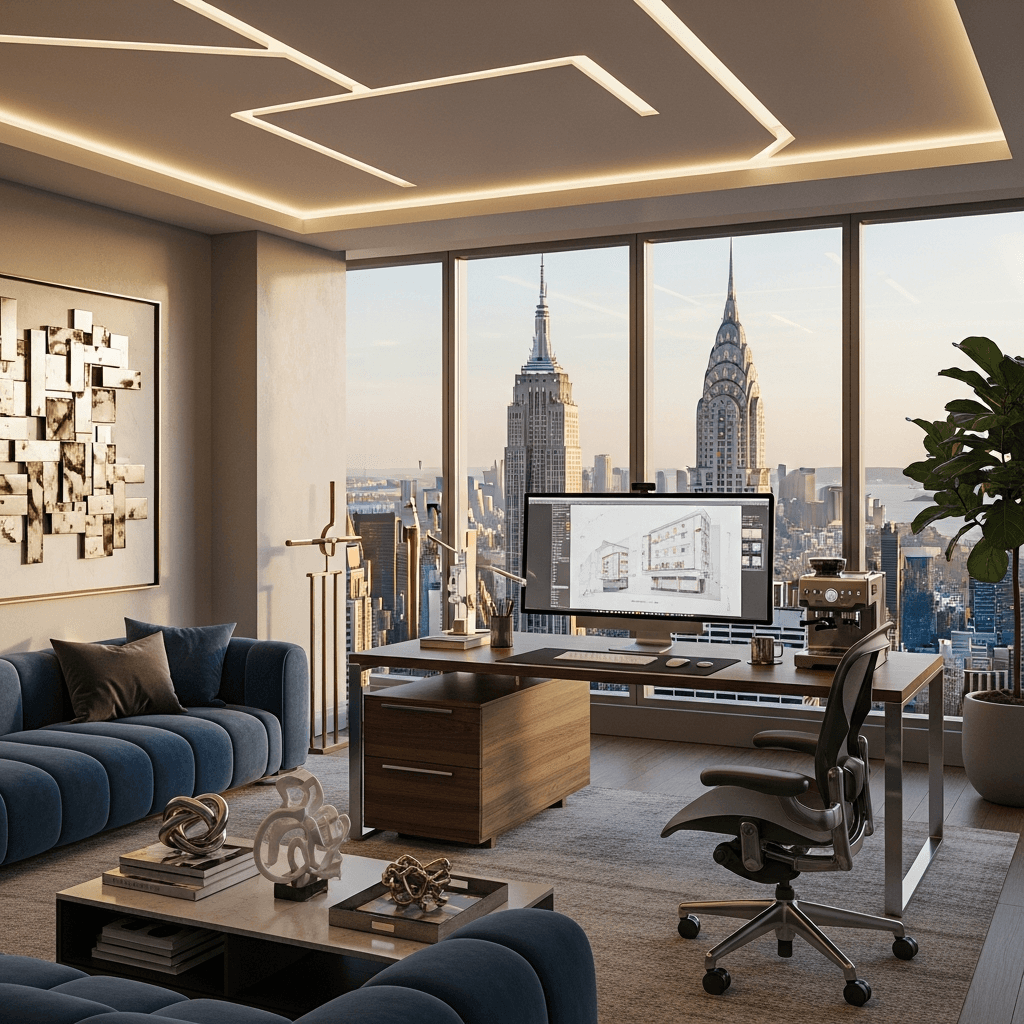
The benefits of working remotely are well-known now, with more and more workers making it a deal breaker when moving roles or considering job offers. For many, the increased flexibility, time, and expenses saved, allows for a better work-life balance for you and your family. Rove Travel luxury rentals offer a uniquely designed home working space that comes equipped and ready for you to hit the ground running. Browse Rove's home office-ready rentals to find a space that fits your setup.
FAQ
What is the most important factor when choosing a home office location?
Natural light and separation from high-traffic living areas are the two factors that matter most. A dedicated space with good ventilation and low noise levels helps you maintain focus and draw a clear line between work time and personal time.
How do I know if my home office space is large enough?
Your workspace should comfortably fit your desk, chair, and any equipment without blocking movement. If you need dual monitors or spread out physical documents regularly, a cramped corner may not serve you well - in that case, a shared coworking space could be a more practical option.
What should I look for in an ergonomic office chair?
Look for adjustable seat height, lumbar support for your lower back, adjustable armrests, and breathable materials. These features prevent strain during long work sessions and are worth choosing over purely aesthetic choices.
Do I need a dedicated phone line for remote work?
Not always, but a separate business line or virtual phone service adds a layer of professionalism and keeps work and personal calls clearly divided. Many remote workers use a virtual service that routes calls to their existing devices, so a physical landline is rarely necessary.
How can I keep my home office organized over time?
The most reliable approach is to pair a consistent filing system with cloud storage for digital documents and designated physical spots for supplies. Scheduling a short weekly tidy-up prevents clutter from building up and keeps the workspace ready for focused work each day.
How should I set up my home office for video calls?
Place your desk so a wall or a tidy background sits behind you, rather than a busy room. Position your camera at eye level, using a laptop stand or monitor arm to help, and make sure your main light source is in front of you, not behind. A headset or quality USB microphone cuts background noise far better than a built-in laptop mic, which matters when you are on calls for several hours a day.
How much does it cost to set up a home office?
A functional home office can be put together for anywhere from a few hundred dollars to several thousand, depending on your role and the equipment you already own. A good ergonomic chair ($200 to $500), an adjustable desk ($150 to $600), and a reliable monitor ($200 to $400) cover the core spend for most remote workers. If your current space is too small or your budget does not stretch to a full setup, a furnished rental with a built-in workstation, such as those available through Rove Travel, can be a cost-effective alternative.
How do I stay focused and avoid distractions when working from home?
A dedicated room with a door is the single biggest help, but even a corner with a room divider and noise-cancelling headphones can carve out a workable focus zone. Time-blocking your calendar into deep-work windows and muting non-urgent notifications during those hours removes most of the common interruptions. Keeping regular start and end times also helps your household understand when you are unavailable.